









Chrome tiene un hueco que ya están usando para atacar (y es el octavo del año): así te aseguras de estar protegido en 10 segundos
If Chrome keeps asking you to "relaunch to update" and you keep putting it off, today is the day to listen. On Monday, November 9, 2026, Google shipped a browser update that fixes 9 security flaws, and one of them comes with a detail that makes it urgent: it's already being used to attack real people.
Google said so itself on its official Chrome releases blog, in one short line: the company "is aware that an exploit for this flaw exists in the wild."

What exactly happened?
The flaw's technical name is CVE-2026-125350 (just the reference number these problems get worldwide). It lives in the part of Chrome that reads a kind of data file called XML, which many websites use behind the scenes.
It's what experts call a "use after free" bug. In plain words: the browser keeps using a bit of memory it had already let go of, and a clever attacker can take advantage of that slip to sneak in their own instructions. That's why Google rated it high severity.
According to SecurityWeek, an anonymous researcher reported it on November 6, so Google fixed it in three days. It hasn't said who's using it or against whom, which is normal: details are usually held back until most people have updated.
Why is it called the "eighth"?
Because it's Chrome's eighth "zero-day" of 2026. A zero-day is a flaw attackers find and use before a fix exists; defenders get "zero days" of warning. Eight in ten months is roughly one every five weeks. No need to panic, but that update button deserves respect.
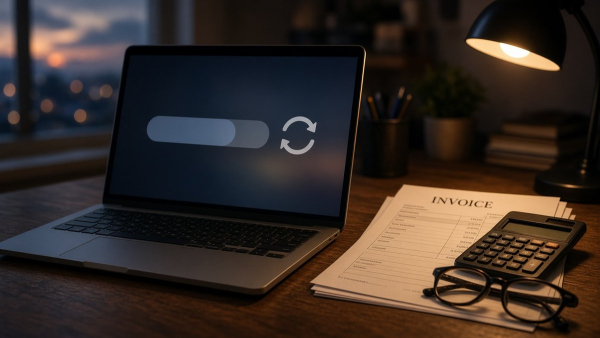
How to check you're protected (it really takes 10 seconds)
- Open Chrome on your computer and click the three dots in the top-right corner.
- Go to Help and then About Google Chrome.
- Chrome looks for the update and downloads it. When it's done, click Relaunch. Your tabs come back.
The fixed version is 157.0.8103.50 or .51 on Windows and Mac, and 157.0.8103.50 on Linux. If you see that number or higher, you're good.
One catch: Google says the update rolls out "over the coming days/weeks," so not everyone gets it at once. That's why it's worth checking yourself instead of waiting for the prompt.
If you run a business, this counts double
At home it's one computer. In a business it can be five, ten or twenty, and it only takes one lagging behind to become the way in. Often it's the most sensitive machine: the checkout PC, the one used for online banking, or the one that runs the online store.
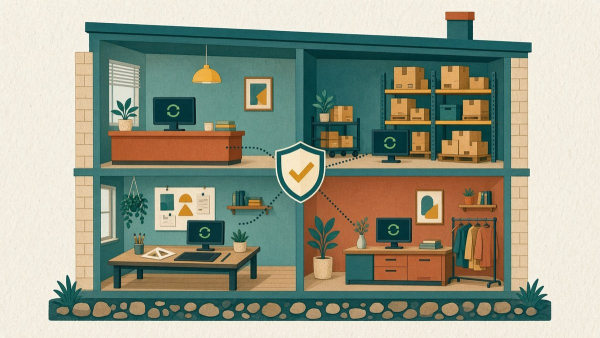
A few simple things to do today:
- Message your team asking everyone to check their Chrome version and relaunch the browser before the end of the day.
- Don't forget other browsers. Edge, Brave and Opera are built on the same base as Chrome, so make sure they're up to date too.
- Watch the computers that never get turned off, like the one at the front desk: a browser left open for weeks rarely finishes installing its fixes.

What's still unknown
So far, the US cybersecurity agency (CISA), which keeps a public list of flaws being used in attacks, hadn't added this one yet, according to SecurityWeek. It's also unknown whether the attacks targeted ordinary people or very specific targets. What is clear is that the fix exists and installing it costs one relaunch.
And if your business has a website or online store, the same logic applies: the site needs its updates too so it doesn't keep holes open. At Presticorp we take care of that with secure websites, maintenance and tailored support, so you can focus on selling instead of chasing patches.
Deja un comentario
Enviando comentario…
Herramientas
 EmiteDocs
Diplomas en lote: 3/semana gratis, hasta 1000 por $500. Contratos: desde $199, hasta 100.
 CrearPlantillas
Editor visual. 2 gratis/mes, 5/semana con cuenta, o 20 descargas por $69 MXN.
 TuRSVP
Invitaciones con RSVP. Desde $299 MXN, pago único.
 Minitareas
Tableros con Google. Libre: 1 tablero. Pro: $249 MXN al mes.
 Cotización de páginas web
Arma tu sitio por módulos y cotiza en MXN. Usarlo no tiene costo.
 Convertidor de formatos
Convierte Excel, Word, PDF e imágenes. $150 MXN al mes, hasta 200.
 Monitor Global
Clima, sismos, huracanes y tsunamis. Consulta gratis.
 Promo a la vista
Catálogo gratis. Resumen gratis o desde $200/mes. Comida destacada: $500/mes.
 Ravicom
Restaurantes y platillos. Buscar y registrar es gratis.
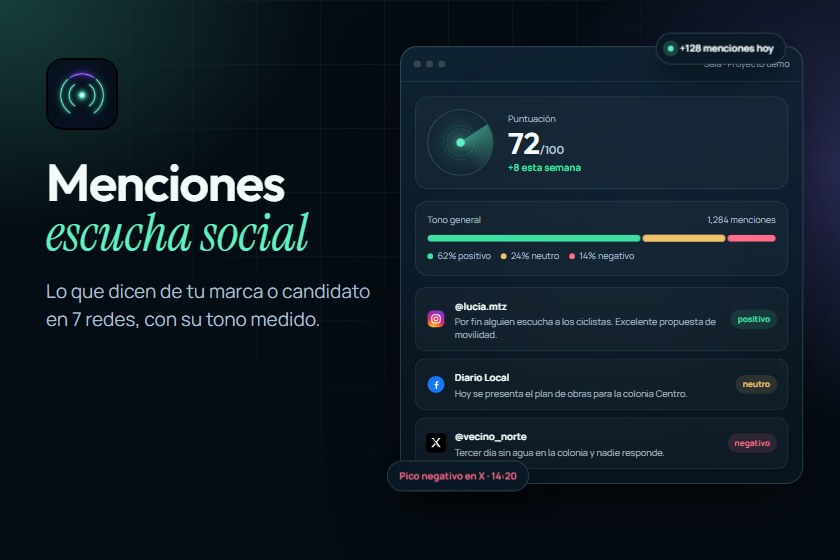 Menciones
Escucha social en 7 redes con tono medido. Desde $9,900/mes.
Articulos recomendados


Landing pages especializadas
¿Proyecto totalmente personalizado? Contáctanos.
Si tu proyecto requiere una solución más enfocada, entra directo a la landing ideal para tu negocio y envíanos tu información en el formulario correspondiente.
Startups
MVP, validación de idea, producto digital y escalabilidad.
Pymes
Marketing digital, captación de clientes y crecimiento comercial.
E-commerce
Tiendas en línea, catálogo, checkout y ventas automatizadas.
Soluciones empresariales
Sitios corporativos, automatización y soluciones digitales a medida.
Promo a la vista
Promociones más recientes
Ofertas vigentes del catálogo, de la más nueva a la más antigua.
Ver promociones Tenis Brooks Ghost Max 3 para hombre a $2,273 en Brooks Running México (antes $3,789, −40%)
Tenis para correr Brooks Ghost Max 3 para hombre (máxima amortiguación)
 Cupón Steam: Borderlands 4 −50% a $699.50 MXN (antes $1,399), sin código, vence 16 nov 2026
Videojuego Borderlands 4 para PC en Steam con 50% de descuento
 Chamarra Trucker de mezclilla Levi's a $1,599 (antes $3,199, −50%) en Levi's México
Chamarra Trucker de mezclilla Levi's, corte regular (72334-0707)
 Bolsa Tote Guess Tessi a $1,436 (antes $3,590, −60%) en Guess México
Bolsa Tote Guess Tessi para mujer con pequeño bolso incluido (WG769123)










0 Comentarios